Rajasthan SSO ID Registration: Step-by-Step Process 2026
An SSO ID Registration by Rajasthan is a gateway to provide 100-plus services to Citizens, Businesses, and Government Employees digitally with a single password. So to enjoy services like paying utility bills(electricity, water, mobile), Employment portals, RPSC online application, REET exam application, Scholarships, Rajasthan Police recruitment, e-Mitra, land records, Rajasthan Government Jobs, transport-related services, and welfare schemes, etc., users have to register themselves in a simple and easy way. This process is completely free and secure.
Types of SSO ID
SSO ID Rajasthan Official portal provides different categories for users to register themselves according to their choice. By registering under these categories, you can enjoy services tailored to your requirements. There are three main categories offered by the Rajasthan official portal.
SSO ID Registration for Citizens
SSO ID Registration for Citizens is basically for the residents of Rajasthan. The purpose is to facilitate them with basic everyday services like paying bills, filling forms, applying for jobs, receiving Recruitment updates, accessing Government schemes, and more. Users can register themselves in this category through a simple process:
- Open the Rajasthan official portal https://sso.rajasthan.gov.in/
- Click on the “Registration” button shown on the screen.
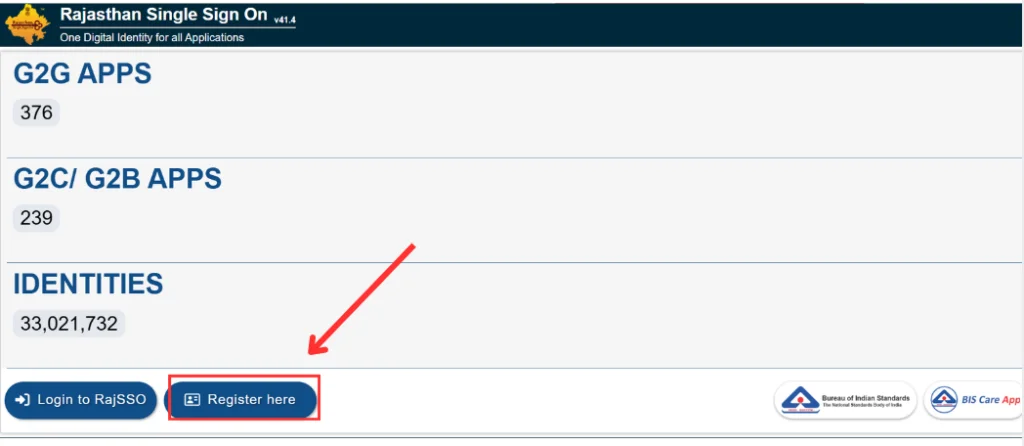
- Click on the “Citizen“ tab.
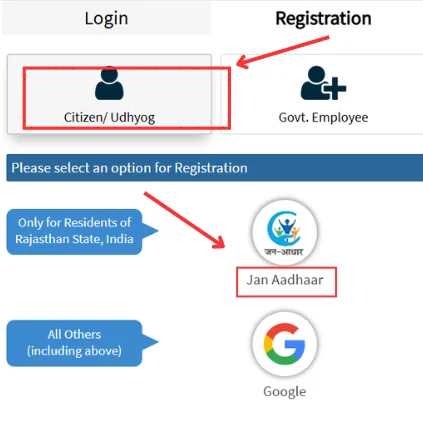
- Jan Aadhaar, Bhamashah Card, Udyog Aadhaar Card, Google Account, and Facebook are shown on screen. Select one of them.
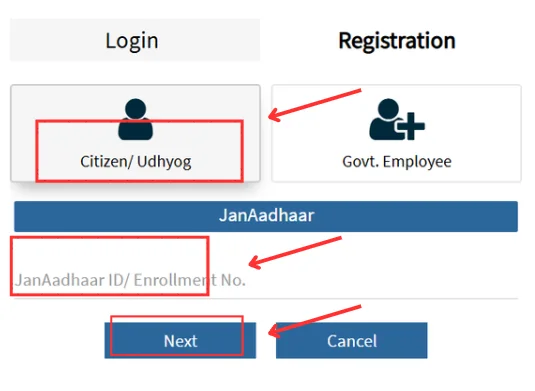
- Enter required information.
- An OTP has been sent to your registered mobile number.
- Enter OTP for verification.
- Set a strong password and review all information.
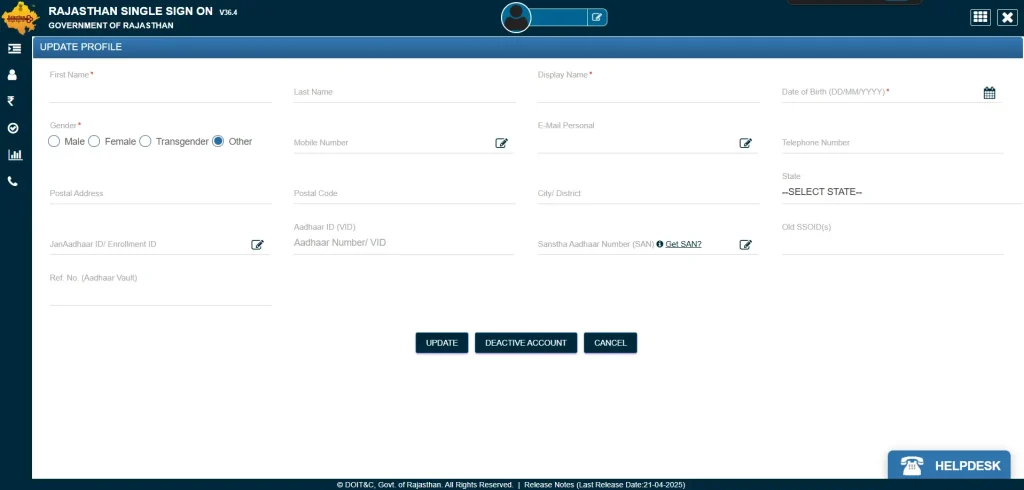
- Click on the “Register” to complete the registration process.
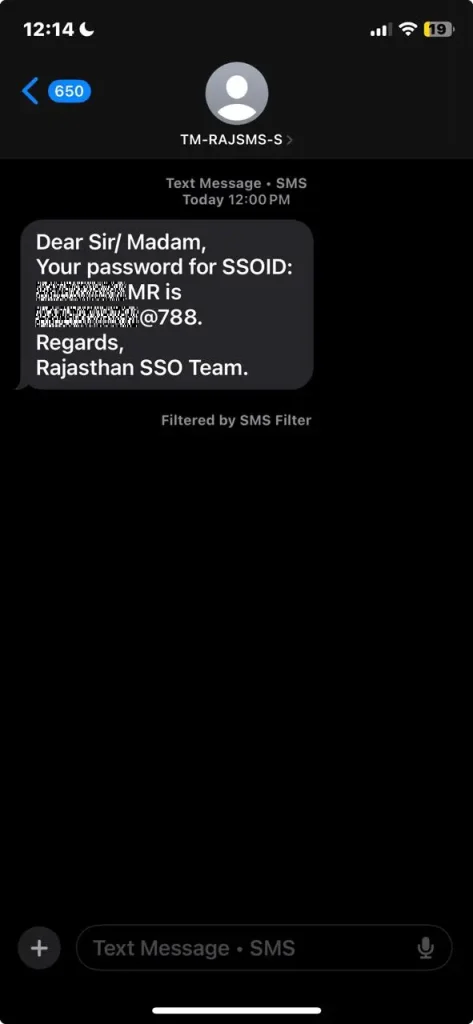
- You will receive your SSO ID and password.
SSO ID Registration for Government Employees
The State Insurance & Provident Fund (SIPF) Number is assigned to Government Employees by the State Government of Rajasthan. Users can register themselves by following the process:
- Visit the official Rajasthan Portal.
- Click on the “Registration” button.
- Click on the “Government Employee” tab.
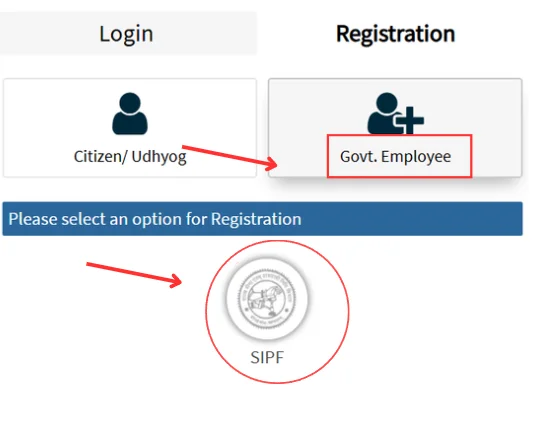
- Enter the SIPF Number and password.
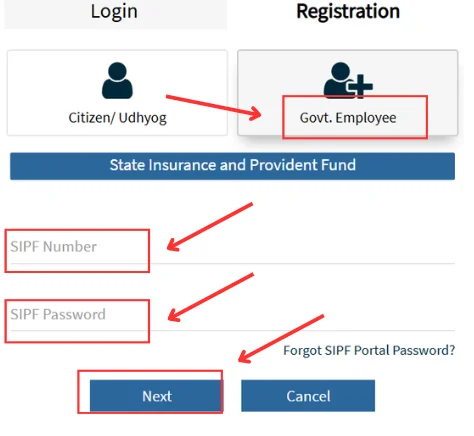
- An OTP is received on the registered mobile number.
- Enter OTP and verify it.
- Edit your profile, set a strong password, and submit.
- You will receive your Government Employee SSO ID.
SSO ID Registration for Udyog (Businesses)
BRN (Business Registration Number) is a unique number assigned to registered businesses by the state Government of Rajasthan. It is used for tax and legal purposes. Single Sign-On (SSO) system ID Registration for Business includes the following easy steps:
- Go to the official website of Rajasthan SSO Portal.
- Click on the “Registration” tab shown on the screen.
- Click on the ‘Udyog” tab.
- Enter your BRN.
- Fill in the required information.
- An OTP is received on the registered mobile number.
- Enter OTP for verification.
- Set a strong password and submit to register.
- After completing the process, users will receive their Udyog SSO ID.
Important Tips for Registration
A user should keep the following important tips in mind when registering for an SSO ID. Here are some of them listed below:
- Choose the relevant category type for better results.
- Use a functional email ID and an active mobile number.
- Double-check your details.
- Enter authentic documents for verification, such as Aadhaar Card, Jan Aadhaar Card, BRN, SIFP Number, etc.
- Create a strong password that combines letters, numbers, and special characters.
- Agree to Terms and Conditions before registering for SSO ID login.
Help Desk
The Rajasthan official Portal provides a Help Desk for users facing issues during the registration process. Users can contact officials by following the information to seek help:
Email ID: helpdesk@rajasthan.gov.in
Helpline Number: 0141-5123717, 0141-5153222 (Working Days, Around 10 AM to 7 PM)
Conclusion
SSO ID Registration by Rajasthan is a digital platform that provides more than 100 services for citizens, Government employees, and Businesses, allowing them to log in with a single SSO ID and Password. Users can access these services by registering with their Aadhaar card, Aadhaar, Bhamashah Card, Google account, BRN, SIFP, etc. Helpdesk is available to facilitate Users. The whole process is free, easy, and hassle-free.